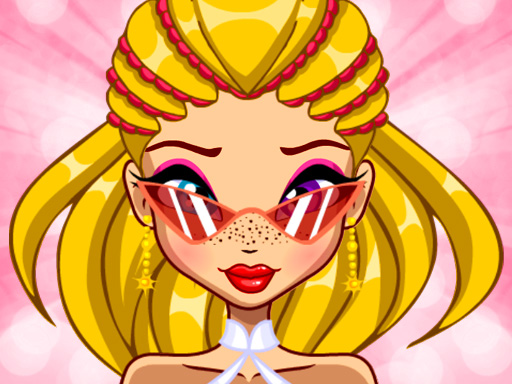
Pretty Avatar Creator Studio

Pretty Avatar Creator Studio

Customization Family Casual
Developer: Fast Core Studio
Published: 2025-01-03
Updated: 2026-07-05

What players say

Pretty Avatar Creator Studio offers a delightful experience for anyone who loves character design. The customization options are extensive, covering facial features, hair, and accessories. The random selection feature is great for inspiration. It is completely family-friendly and easy to use, making it ideal for kids and adults alike.

How to play

Game Introduction

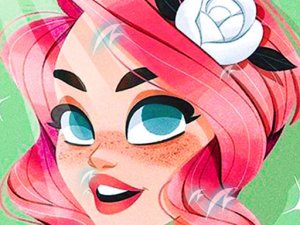
Pretty Avatar Creator Studio is a creative online tool that allows you to design a personalized avatar for social networks. The core objective is to express your unique style by customizing various aspects of your digital character. What makes this game unique is its focus on self-expression through detailed customization, enabling you to create an avatar that truly reflects your personality. It is a safe, family-friendly environment suitable for all ages, encouraging creativity without any violent or inappropriate content. Players can explore a wide range of options to design a character that feels truly their own.

How to Play

Playing is simple and intuitive. You start by choosing a base style for your avatar. Then, you can customize facial features such as eyes, nose, and mouth. Select hair color and style that match your personality. Adjust the shape and color of the eyes and lips to create a unique expression. Add accessories like earrings, glasses, hats, or necklaces to complete the look. You can mix and match elements until you are satisfied. If you want a surprise, use the random selection button to generate a random avatar. Once done, save your creation and use it as your social network profile picture.

Game Features

Features include customization of facial features, hair, eyes, lips, and accessories. You can choose from many hair colors and styles, adjust eye shape and lip color, and add earrings, glasses, hats, and necklaces. A random selection button provides quick inspiration. You can save your avatar to use as a profile picture. The game is designed with easy navigation, making it suitable for all ages.

Tips for Success

To get the most out of your avatar creation, experiment with different combinations of features and accessories. Don't be afraid to try bold color choices or unusual styles—you can always change them. Use the random selection feature when you feel stuck for ideas. Take your time to explore all available options, as the game encourages creativity and self-expression. Save your favorite designs to compare later.
Compatibility

✅ This game supports:
- Desktop browsers (Chrome, Edge, Safari)
- Mobile browsers (Chrome on Android, Safari on iOS)
❌ Does NOT support: - Internet Explorer - Very old browser versions
👉 Try refreshing or updating your browser
FAQ
Can I use my Pretty Avatar Creator Studio avatar on any social media platform?
Yes, once you save your creation, you can upload it as a profile picture on most social media platforms. The saved image is typically in a standard format like PNG or JPG, making it easy to use on sites like Facebook, Twitter, Instagram, and others.
Does Pretty Avatar Creator Studio require an internet connection to play?
Yes, since it is an online tool, you need an active internet connection to access the game and use its features. All customization options are loaded from the server, so a stable connection ensures a smooth experience.
Is there a limit to how many avatars I can create and save?
The game may allow you to create and save multiple avatars, but the exact number can vary. Some versions let you save several designs locally on your device, while others may have a limit. It is best to check the save options within the game.
Can I share my avatar directly from Pretty Avatar Creator Studio to social media?
Some versions of this type of tool include a direct share button that lets you post your avatar to social media platforms without downloading first. However, this feature may not be available in all versions. You can always save the image and upload it manually.
Are there any in-app purchases in Pretty Avatar Creator Studio?
The base game is free to use, but some versions may offer optional in-app purchases for additional accessories, hairstyles, or color packs. These are not required to enjoy the core experience and are clearly marked within the game.
What age group is Pretty Avatar Creator Studio designed for?
This game is designed for all ages, with a focus on children and teens. The interface is simple, the content is family-friendly, and there is no violence or inappropriate material. It is a safe creative outlet for anyone who enjoys character design.
Advertisement

Related Titles

Locker Design Creative Game

Locker Design Creative Game

Princess Beach Dress Up

Princess Beach Dress Up

Style Walk Fashion Dress Up

Style Walk Fashion Dress Up

Taylor Family Hot Spring Adventure

Taylor Family Hot Spring Adventure

Winx Bloom Style Dress Up

Winx Bloom Style Dress Up

Beach Rainbow Fashion Stylist

Beach Rainbow Fashion Stylist

Lovely Dresses Dress Up Game

Lovely Dresses Dress Up Game

Heroine Dress Up Adventure 2

Heroine Dress Up Adventure 2

Fashion Dress Up Style Studio

Fashion Dress Up Style Studio

Fashion Stylist: Dress Up Game

Fashion Stylist: Dress Up Game