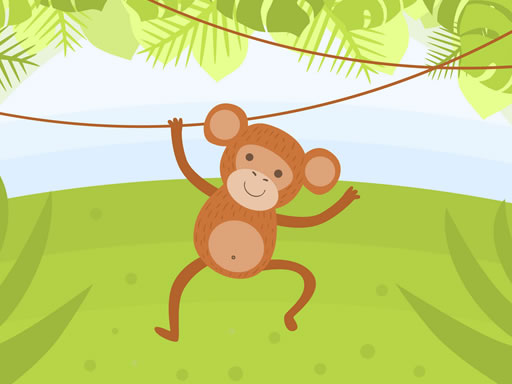
Monkey Coloring Puzzle
What players say
Monkey Coloring Puzzle offers a delightful, ad-free experience for children. With eight monkey pictures and 23 colors, it encourages creativity and speed. The simple interface and undo/redo options make it easy for young players. Saving artwork is a nice bonus. A great choice for family-friendly fun.
How to play
Game Introduction
Monkey Coloring Puzzle is a free online coloring game designed for children and families. The game offers eight unique monkey pictures, each waiting for creative input. With a palette of 23 bright colors, players can color each monkey in any way they like. The goal is to finish each picture as quickly as possible to earn a high score. This adds a light challenge to the creative process, encouraging focus and speed. When a picture is completed, it can be saved to a device to share with friends or keep as a memory. The game is completely free, ad-free, and requires no downloads or sign-ups. It provides a safe and joyful environment for players of all ages. Whether a young artist or looking for a relaxing activity, this game offers endless creative fun.
How to Play
To play, start by selecting one of the eight monkey pictures from the main menu. After choosing a picture, a palette of 23 colors appears on the screen. Use a mouse or touch screen to pick a color, then click or tap on the areas to fill. The game tracks speed, so try to color each section quickly to achieve a high score. Undo or redo coloring steps if needed. When a picture is finished, the score is displayed, and the colored image can be saved to a device. There are no complicated rules, making the game intuitive and perfect for kids. No reading is required, so even young children can play independently. Play again to beat a personal record or try a different picture.
Game Features
Game features include eight different monkey pictures to color. There are 23 vibrant colors to choose from. A scoring system rewards speed and completion. Finished artwork can be saved to a device. The game is kid-friendly with no ads or in-app purchases. The interface is simple and easy to navigate. Undo and redo options help correct mistakes. The game works on both desktop and mobile devices.
Tips for Success
To improve a score, try to color each section as quickly as possible while staying neat. Use the undo feature if a mistake is made, but avoid redoing too many steps as it costs time. Practice with each picture to learn the layout and color areas more efficiently. Focus on larger sections first, then fill in smaller details. Playing regularly can help beat personal records and develop better hand-eye coordination.