Backyard Drive & Park Simulator
Reviews
Backyard Drive & Park Simulator stands out by turning a mundane task into an engaging puzzle. The lack of time pressure allows players to focus on careful steering and obstacle avoidance. Level designs gradually introduce tighter spaces and more complex ramps, keeping the challenge fresh without becoming frustrating. The simple control scheme and clean visuals make it accessible for all ages. While it may not appeal to those seeking high-speed action, it offers a satisfying test of accuracy that feels rewarding with each perfect park.
Description
Core Objective & Environment
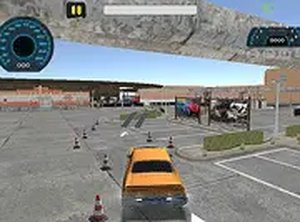
In Backyard Drive & Park Simulator, players take the wheel of a vehicle and must guide it through a residential backyard setting. The primary goal is to park the car in a specific location while navigating around ramps, toys, garden furniture, and other common backyard obstacles. Unlike many driving games that reward speed, this experience encourages a methodical approach. Each level presents a unique layout, requiring players to study the environment and plan their route before moving. The backyard theme adds a layer of familiarity and charm, transforming an ordinary space into a puzzle-like course.
Control Mechanics & Feedback
The game uses simple keyboard or mouse inputs to control the car's movement. Acceleration, steering, and reversing are handled through a few keys, making it accessible to players of all skill levels. The vehicle responds to input with a slight delay, mimicking real-world physics and demanding careful timing. Players receive immediate feedback through visual cues when the car bumps into obstacles or scrapes against ramps. This feedback loop helps refine technique over time, as each collision encourages a more cautious approach in subsequent attempts.
Level Structure & Progression
Levels are designed as short, self-contained missions that increase in complexity. Early stages introduce simple straight-line parking with minimal obstacles, while later levels incorporate tight corners, narrow pathways, and multiple ramps that require precise steering. Completing a level with minimal damage unlocks the next stage, creating a natural progression system. Players can replay completed levels to improve their performance and achieve a perfect run, which may be required for full completion. The gradual difficulty curve ensures that newcomers can learn the basics before facing more demanding challenges.
Visual & Audio Atmosphere
The game presents a clean, colorful visual style that suits its family-friendly nature. The backyard environment is depicted with bright greenery, fences, and household items, creating a relatable and non-intimidating setting. Audio cues, such as engine sounds and collision effects, provide additional feedback without being distracting. The overall presentation is designed to keep the focus on the parking task, with no unnecessary visual clutter. This minimalist approach helps players concentrate on the precise movements needed to succeed.
Accessibility & Platform
Backyard Drive & Park Simulator runs directly in a web browser, requiring no downloads or installations. A full-screen mode is available to enhance visibility, which is especially helpful for spotting obstacles and planning routes. The controls are clearly explained at the start, and the game can be paused at any time. This makes it suitable for short play sessions or longer practice periods. The browser-based nature also means it works on various desktop systems without compatibility issues, broadening its accessibility.