

Art Workshop: Crafting Studio
What players say
Art Workshop: Crafting Studio stands out for its gentle pacing and accessible design. The step-by-step process from surface preparation to final coloring feels meditative rather than rushed. Controls are intuitive on both touchscreens and desktops, and the full-screen mode helps you stay immersed. The variety of patterns and color options encourages experimentation without overwhelming choices. It is an ideal choice for anyone seeking a relaxing creative outlet that respects their time and skill level.
How to play
Core Creative Process
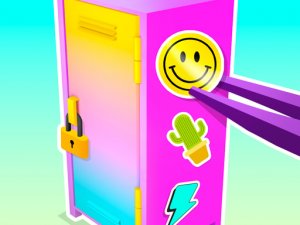
At the heart of Art Workshop: Crafting Studio lies a straightforward sequence that mirrors real-world artistic steps. You begin by selecting a base object from a rotating collection. The next phase involves preparing that surface, which might include cleaning or treating it to ensure the final result looks polished. This preparation step adds a layer of authenticity often missing in simpler drawing apps. After that, you pick a pattern from an available library and carefully apply it using your mouse or finger on a touchscreen. The final stage is adding color, where you can experiment with different palettes to complete your vision. The entire process rewards patience and attention to detail without any pressure or time limits.
Controls and Accessibility
The game is built around ease of use. Controls are designed to feel natural whether you are using a desktop mouse or tapping on a smartphone screen. A full-screen mode is available to minimize distractions, letting you concentrate fully on your current project. Because everything runs directly in a web browser, there is no need to install software or create an account. This makes it simple to start a new piece whenever you have a few spare moments. The interface avoids clutter, presenting only the tools you need for the current step. This thoughtful design ensures that players of all ages and technical backgrounds can jump in without confusion.
Creative Freedom and Experimentation
One of the standout qualities of this experience is the room it gives you to try new things. You are not locked into a single path. Instead, you can revisit earlier steps, change your pattern choice, or adjust colors after seeing the initial result. The game encourages you to mix unexpected color combinations or apply patterns in unconventional ways. There is no penalty for mistakes, which lowers the barrier for those who might feel unsure about their artistic abilities. Over time, you can build a personal gallery of finished pieces that reflect your evolving taste. This emphasis on exploration rather than perfection makes each session feel fresh and personal.
Visual Atmosphere and Sound
The visual style of Art Workshop: Crafting Studio is clean and inviting. Colors are soft, and the interface uses gentle gradients that do not strain the eyes during longer play sessions. The objects you work on range from simple shapes to more detailed items, giving you variety without overwhelming complexity. Background music, if present, tends to be calm and unobtrusive, complementing the focused nature of the activity. Sound effects for actions like applying paint or selecting a pattern are subtle but satisfying. Together, these elements create an environment where you can relax and lose yourself in the act of making something beautiful.
Progression and Variety
As you complete more projects, the game may introduce new patterns or base models to keep the experience engaging. The library of options is broad enough that you can spend many sessions without repeating the same combination. There is no strict progression system or level-based structure. Instead, the sense of advancement comes from your own growing skill and the increasing complexity of the pieces you choose to tackle. This approach suits players who prefer self-directed learning over guided tutorials. The game respects your pace, allowing you to move from simple color fills to intricate pattern work as your confidence builds.









Comments
Sign in to comment
You must be logged in before posting a review or rating.
No account? Create one
No comments yet. Be the first to comment!